
Get started

How collection to inventory works

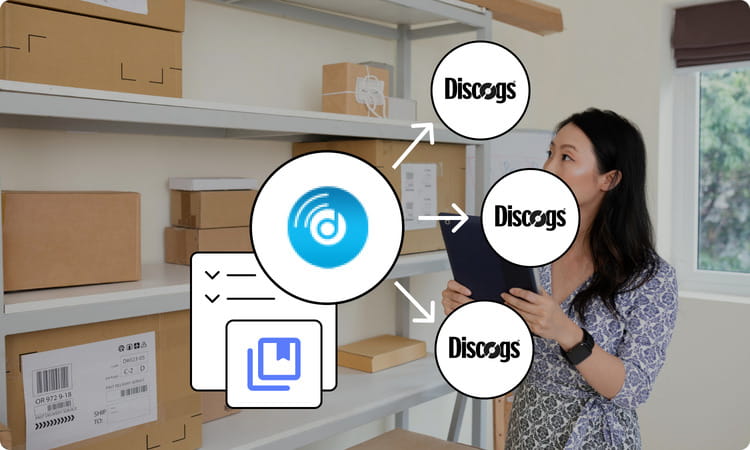
Connect your Discogs account, move records from Collection to Inventory, and list them across every sales channel you sell on, without spreadsheets or manual work.

  1. 01

    Connect your Discogs collection

    Disconnect reads your existing collection and folders directly, no CSV uploads or manual data entry required.

  2. 02

    Move records to inventory

    Use folders, filters, or bulk import to select the records you want to sell and move them to Inventory individually or in bulk.

  3. 03

    List and sell everywhere

    Sync inventory to Shopify, WooCommerce, eBay, Amazon, and other channels, and manage every sale from one central place.

Everything in one place

Bring Your Discogs Collection to Every Marketplace.

Import records from your Discogs collection and turn them into inventory listings, Draft or For Sale, in a few clicks. List across Shopify, WooCommerce, eBay, and other marketplaces while managing every sale from one central place.

Bulk import

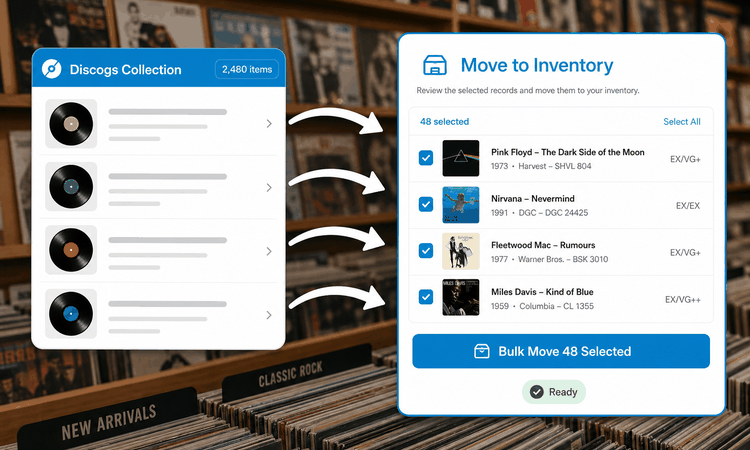
Bulk Move Collection to Inventory

Move hundreds or even thousands of records from your Discogs Collection to Inventory in just a few clicks. Whether you're listing a single record or your entire collection, Disconnect lets you move items individually or in bulk, no CSV files or manual work required.

  • Move hundreds or thousands of records in a few clicks
  • Move items individually or in bulk
  • No CSV files or manual work required
Bulk Move Collection to Inventory
Folders

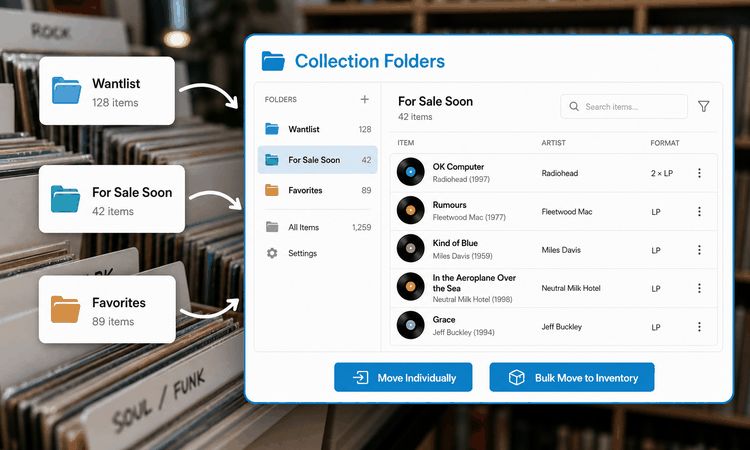
Collection Folder Management

Keep your collection organized with Discogs Collection Folders. Easily browse specific folders, find the records you want to sell, and move them to Inventory individually or in bulk, without searching through your entire collection.

  • Browse specific Discogs Collection Folders
  • Find the records you want to sell easily
  • Move to Inventory individually or in bulk
Collection Folder Management
Filters

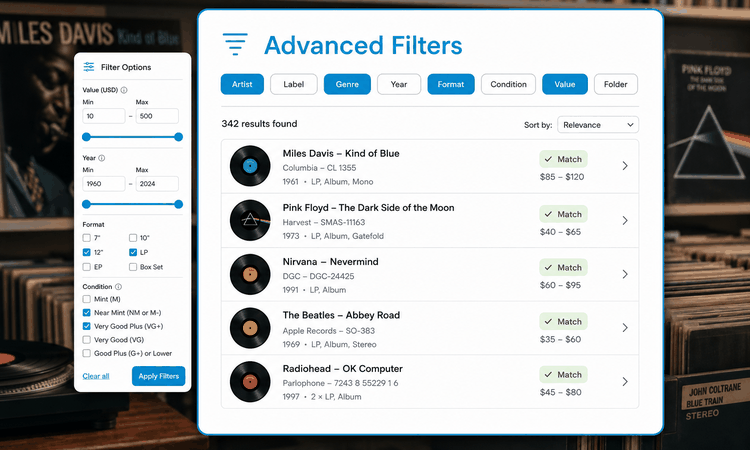
Advanced Collection Filters

Quickly identify the records you want to sell using powerful filters such as artist, label, genre, year, format, condition, value, and collection folders. Find the right releases without manually searching through your entire collection, then convert your selected records into inventory listings in just a few clicks.

  • Filter by artist, label, genre, year, format, and condition
  • Find the right releases without manual searching
  • Convert selected records into inventory listings in clicks
Advanced Collection Filters
Multi-channel

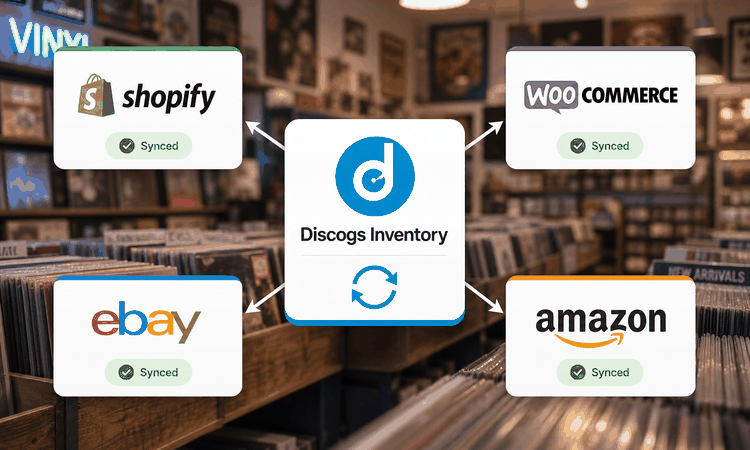
Sell Everywhere, Not Just Discogs

Once your records are in your Discogs Inventory, Disconnect lets you sync them to Shopify, WooCommerce, eBay, Amazon, and other supported marketplaces. Manage your inventory from one place and reach more buyers without creating listings for each sales channel manually.

  • Sync to Shopify, WooCommerce, eBay, Amazon, and more
  • Manage inventory from one place
  • Reach more buyers without manual listings per channel
Sell Everywhere, Not Just Discogs
Collection to inventory

Turn your Discogs collection into listings everywhere

Record sellers use Disconnect to bulk import from Discogs, filter by artist or condition, and push inventory to Shopify, eBay, and other marketplaces, all without spreadsheets or duplicate listing work.

Read Full Reviews

Trusted by sellers worldwide

Our proud customers

Official partners

We are official integration partners with

Questions

Frequently asked questions

Do I need a paid Discogs account to use Disconnect?
No. Disconnect connects to any Discogs account, free or paid, and reads your existing collection and folders directly. You don't need a Seller account on Discogs to move records into Disconnect's Inventory and list them on other channels.
What happens if a record sells on one channel while it's listed on another?
Disconnect removes the sold item from every other connected channel automatically, usually within a second of the sale. If two buyers happen to check out at the same time, only one sale completes and the other gets a graceful out-of-stock message instead of an oversold order.
Which sales channels does Disconnect support?
Shopify, WooCommerce, eBay, Amazon, and BigCommerce today, with more channels added over time. You can connect one or several and choose which records go to which channel.
Can I import my entire collection at once?
Yes. Bulk import brings in your full Discogs collection, including folders, condition, and pressing details, in a single pass. After that, syncs are incremental, so only new or changed records need to move.
Is my Discogs data safe?
Disconnect connects to Discogs through an authorised login, so your password is never stored. You control which records are shared and can disconnect the connection at any time.
Can I control which records go to which channel?
Yes. You can move records to Inventory individually or in bulk, set Draft or For Sale status per record, and choose exactly which connected channels each one is pushed to.
Is there a free trial available?
Yes. Disconnect offers a 14-day free trial, and no credit card is required to get started.
Can I connect Discogs to sell on my E-commerce store & multiple marketplaces using Disconnect?
Yes. Disconnect connect Discogs to E-commerce stores like Shopify, WooCommerce, Wix & marketplaces like eBay, Amazon, Etsy, Bandcamp & Mirakl you can sell on all without buying multiple connectors.
How frequently does the data sync happen between the connected platforms?
Inventory sync happens near real-time. Most other data including products, prices, orders, fulfilment updates, and tracking information is typically synchronized within 5-10 minutes.
What happens when I cross my plan limit?

Once you cross your plan limit, your data sync remains active & everything keeps working as usual. We send you a monthly overage invoice that you can pay from within your Disconnect portal within 7 days of the invoice issue date.

You can also upgrade to a higher plan later if you continuously cross your plans limits because it saves you money since higher volume plans cost less.

Can I connect my shipping platform with Disconnect?

Yes. Disconnect supports shipping platforms such as ShipStation, Royalmail etc.

This allows you to send orders for fulfilment and synchronize shipment and tracking information with your connected sales channels.

Can I connect my POS too with Discogs using Disconnect?

Yes. You can connect your POS systems like Squareup, Lightspeed etc.

These integrations can synchronize products, inventory, pricing, orders & fulfilment information depending on the capabilities of each connected system.

What kind of support does Disconnect offer?

Disconnect provides support through chat, phone calls, screen-sharing sessions, and WhatsApp. Every plan also includes free onboarding to help you configure your account and connected platforms.

The support channels and service levels available may vary by plan.

Does DisConnect sync all product data including release title, artists, credits, images, videos, etc?
Yes, we give you an option to choose which data of your listing you want to sync to your connected platforms. To know more about it, please schedule a demo with us.
Can I add my own images to the listings?
Yes, DisConnect enables you to show your actual product images while syncing the product to other platforms along with other generic images of Discogs.

If you have any further questions regarding collection to inventory, get in touch with our friendly team

Talk to the Disconnect team

Fill in a few details and we'll help you plan the switch from spreadsheets to synced inventory, no obligation.

Email [email protected] Sales +1 361 264 9007
Support hours Mon-Fri, 9am-6pm UTC

Message sent

Thanks, we'll get back to you as soon as we can.